30 Floral Silhouette Vector Bundle: A Smart Design Choice with Practical Tips
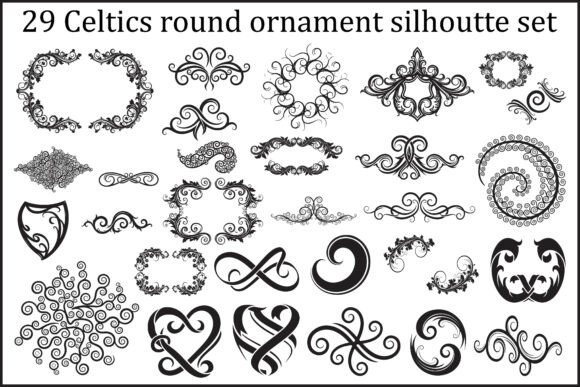
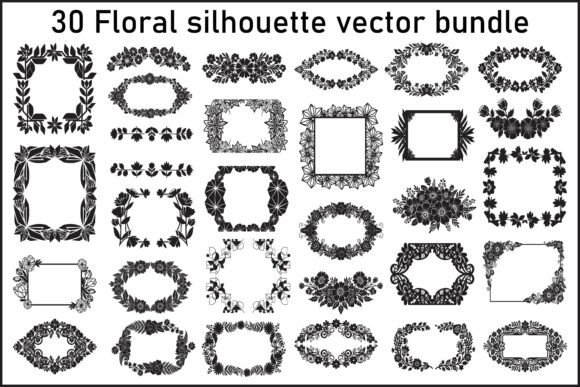
For designers, crafters, and small business owners looking to elevate their visual content, the 30 Floral Silhouette Vector Bundle offers a versatile and elegant solution. This collection features 30 high-quality floral and ornamental designs in multiple file formats, making it ideal for both digital and print use. Whether you're creating wedding invitations, branding materials, or packaging designs, this bundle can streamline your workflow and enhance your creative output.
Why This Bundle Stands Out
The 30 Floral Silhouette Vector Bundle is designed with flexibility in mind. It includes EPS, SVG, PNG, and JPG files, ensuring compatibility with a wide range of design software and cutting machines. The black silhouette style gives a clean, timeless aesthetic that works across vintage and modern design themes. With scalable vector formats, you can resize without losing quality, and the transparent PNG backgrounds make integration into any layout effortless.
Common Mistakes When Choosing and Using This Bundle
Despite its many benefits, users—especially those new to vector graphics—can make missteps that affect the quality of their work or the efficiency of their process. Here are some common issues and how to avoid them.
1. Assuming All File Types Are Equal
While the bundle includes EPS, SVG, PNG, and JPG files, each format serves a specific purpose. For example, some users may download the JPG version for a logo, only to find it pixelates when enlarged. JPGs are raster images, meaning they lose clarity when scaled up.
Better approach: Use EPS or SVG files for logos, illustrations, and print materials where resizing is necessary. PNGs are great for web use with transparent backgrounds, while JPGs work best for photo-based presentations or previews.
2. Overlooking Software Compatibility
Many assume they can open EPS or SVG files in any design program. However, not all software supports vector editing. Adobe Illustrator is ideal for EPS files, while SVGs can be used in web platforms and some cutting machines like Cricut or Silhouette.
Better approach: Check your software's compatibility before purchasing or downloading. If you're using Canva or Photoshop, SVG files may still work well, but you won't be able to edit individual vector paths as freely as in Illustrator.
3. Not Checking File Organization
Some users expect all 30 elements to be neatly grouped in one folder or layered in a single file. In reality, each design is saved individually, which can be overwhelming if you're managing a large project.
Better approach: Take time to organize the files once downloaded. Create separate folders for EPS, SVG, PNG, and JPG versions. Rename files based on their visual content (e.g., “floral-border-1.svg”) to make them easier to find later.
4. Ignoring Licensing Details
Another frequent oversight is assuming the bundle can be used for any purpose. While many design bundles offer broad usage rights, commercial use, resale, or use in templates may have restrictions.
Better approach: Always read the licensing agreement. If you're using the bundle for client work or product packaging, ensure the license covers commercial use. If you're creating digital products to sell, confirm whether the graphics can be included as design elements in those items.
5. Using Too Many Elements at Once
Because the bundle includes 30 unique designs, there's a temptation to use multiple elements in one project. However, this can lead to cluttered, unprofessional results.
Better approach: Choose 2–3 key elements that complement your design rather than overwhelm it. For example, use a floral border as a background frame and a single ornamental accent as a focal point. Less is often more when working with decorative silhouettes.
What to Check Before Downloading or Purchasing
Before committing to the 30 Floral Silhouette Vector Bundle, consider the following factors to ensure it meets your needs:
- File formats: Confirm you're getting the formats you need (e.g., SVG for web and cutting machines, EPS for print).
- License terms: Understand what you can and cannot do with the files.
- Design style: Ensure the black silhouette aesthetic aligns with your project’s tone (vintage, minimalist, modern, etc.).
- Customization options: Check if colors and shapes can be edited easily in your preferred software.
- Download process: Make sure the download is straightforward and includes all promised files.
Realistic Use Cases and How to Succeed
Let’s look at a few practical applications and how to use the bundle effectively:
Wedding Invitations
Using a floral frame as a border can give invitations a soft, elegant feel. However, avoid placing text directly over intricate silhouettes, as it can become hard to read.
Better approach: Place the floral border around the edge of the card and keep the text area clean and centered. Use a light overlay or subtle background color to ensure readability.
Product Packaging
Adding a small ornamental accent to a product label can elevate its visual appeal. But if the design is too detailed or dark, it might not print well on certain materials.
Better approach: Test the silhouette on a sample label or packaging mockup. Simplify the design if needed and ensure the black silhouette contrasts well with your packaging color.
Digital Scrapbooking
For digital scrapbookers, PNG files with transparent backgrounds are essential. However, some users may experience issues with layering if the PNGs aren't properly aligned.
Better approach: Use design software like Photoshop or Canva that supports layering. Align elements carefully and adjust opacity if needed to create depth without clutter.
Final Thoughts
The 30 Floral Silhouette Vector Bundle is a valuable resource for anyone involved in design, crafting, or branding. It offers flexibility, scalability, and a timeless aesthetic. However, to get the most out of it, it's important to understand file types, licensing, and design best practices.
By avoiding common mistakes and taking a thoughtful approach to how you use and integrate these elements, you’ll not only save time but also produce higher-quality, more professional results. Whether you're a seasoned designer or a hobbyist, this bundle can be a reliable and inspiring tool in your creative toolkit.